Your day, framed.
Your data, yours.

A fast, beautiful task manager for macOS. Plan with Today / Week / Month / Year views, focus with built-in Pomodoro — and keep every task in a local database on your own Mac.

100% free No account No cloud No tracking macOS 11+

Free forever · v1.0.0 · ~100 MB DMG

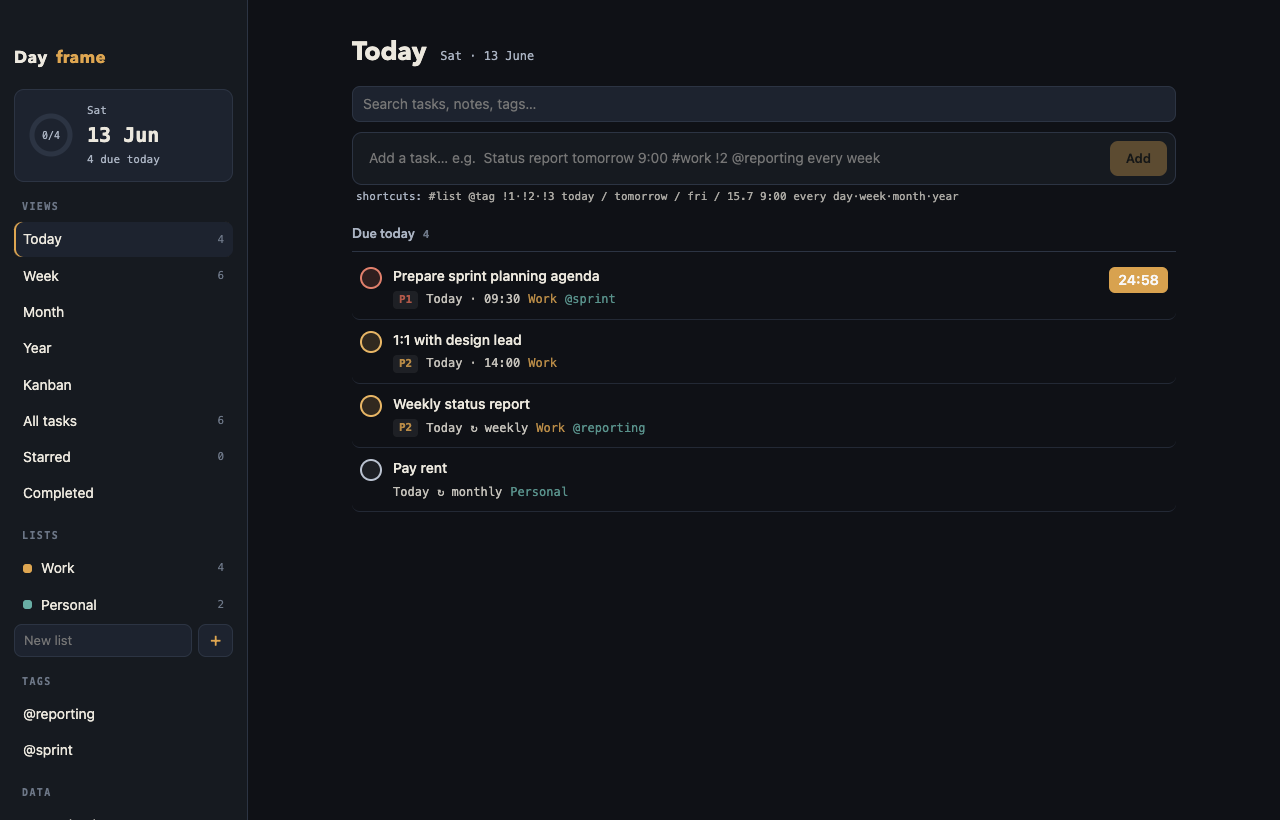
Dayframe main window — Today view with tasks and a running Pomodoro timer
Everything you need

Built for people who plan

All the views and tools of a heavyweight planner, in a lightweight native app.

📅

Today · Week · Month · Year

Zoom from “what's next” to a full year plan. Overdue tasks are always front and center.

Built-in Pomodoro

One click starts a 25-minute focus session on any task. The countdown lives in your menu bar.

📌

Menu-bar quick actions

See today's tasks, start a focus session, or add a task — straight from the macOS menu bar.

🗂

Kanban board

Drag cards through Backlog → To do → In progress → Done when list view isn't enough.

Recurring tasks

Daily, weekdays, weekly, monthly or yearly. Complete one and the next occurrence appears automatically.

⚡️

Quick-add syntax

Type report tomorrow 9:00 #work !2 and everything is parsed — date, time, list, priority.

🔒

Local-first SQLite

Your tasks live in a SQLite database on your Mac. No account, no sync servers, no telemetry.

💾

Automatic backups

Daily local backups kept for 14 days, plus one-click JSON export and import.

⌨️

Always within reach

Global ⌘⇧D shortcut, launch at login, dock badge with today's count, runs in the background.
Focus mode

From “I should do this” to doing it — one click

Pomodoro without the ceremony

No separate timer app, no setup. Every task has a ▶ 25m button. Click it and you're in a focus session.

  • Live countdown next to the menu-bar icon — visible in every app
  • Start or stop a session straight from the tray menu
  • Keeps running when the window is closed
  • macOS notification when your 25 minutes are up
Prepare sprint planning 24:58
Weekly status report ▶ 25m
Review release notes ▶ 25m
menu bar  ·  ✓ 24:58  —  Prepare sprint planning
Quick add

Type it like you'd say it

One line, fully parsed. No forms, no date pickers.

Status report tomorrow 9:00 #work !2 @reporting every week
Add
#list → put in list !1·!2·!3 → priority today / fri / 15.7 / 9:00 → due @tag → tag every week → repeat
Get Dayframe

Free. As in actually free.

No trial, no pro tier, no locked features. If Dayframe saves your day now and then, a donation keeps it going.

Apple Silicon

M1 / M2 / M3 / M4 Macs

Download .dmg

Intel

Intel-based Macs

Download .dmg
First launch on macOS: Dayframe is an independent free app and isn't notarized by Apple (that requires a paid developer subscription — your donations help!). macOS will warn you the first time:
  1. Drag Dayframe from the DMG into Applications
  2. Right-click the app → Open → click Open in the dialog
  3. That's it — macOS remembers your choice from then on
Questions

FAQ

Is Dayframe really free?

Yes. Every feature is free, forever, for everyone. Donations are completely optional and simply help cover development time and the Apple developer subscription.

Where is my data stored?

In a SQLite database on your Mac, at ~/Library/Application Support/Dayframe. Nothing is ever uploaded anywhere. Dayframe also keeps automatic daily backups for 14 days, and you can export or import a JSON backup any time from the File menu.

Does it sync between Macs?

No — by design. Dayframe is local-first: no account, no servers, no tracking. If you need to move to another Mac, use File → Export Backup and import it on the other machine.

Why does macOS warn me when I open it?

Dayframe isn't notarized by Apple yet, because notarization requires a paid Apple Developer subscription. The app is safe — just right-click it and choose Open on first launch. Donations go toward getting the app signed and notarized.

What are the system requirements?

macOS 11 Big Sur or newer. Both Apple Silicon (M-series) and Intel Macs are supported — pick the matching download above. Not sure which you have? Apple menu → About This Mac.

How do I report a bug or request a feature?

Email me at [email protected] — I read everything.